
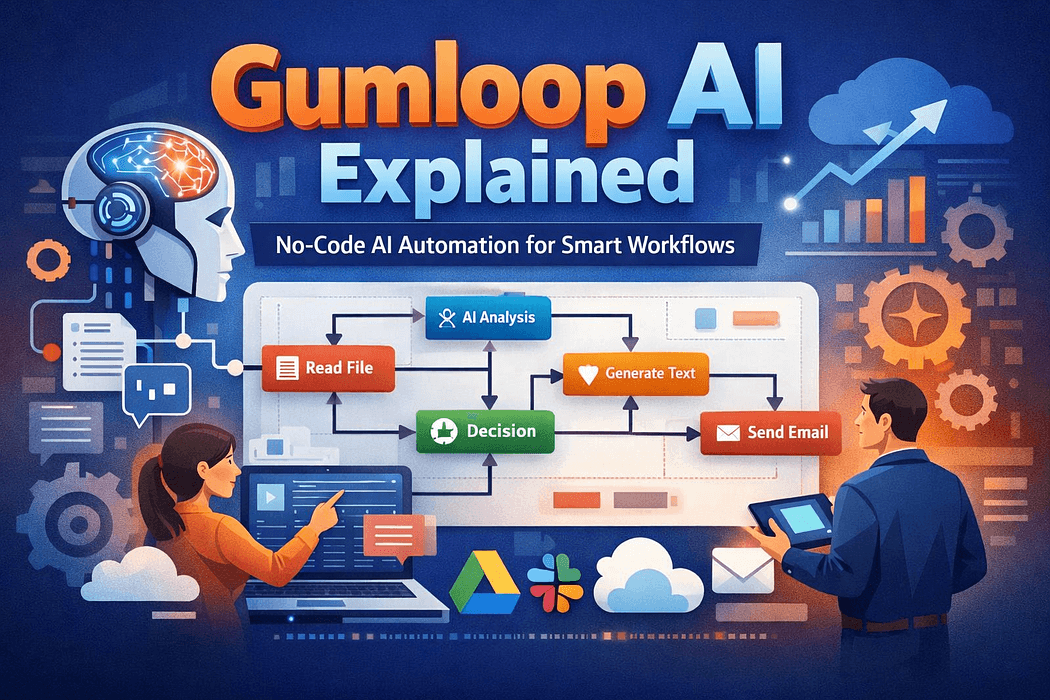
The promise of AI automation has always been hampered by a technical barrier: building workflows typically required either coding skills or settling for rigid, template-based solutions that never quite fit your specific needs. Gumloop AI represents a different approach — a no-code platform that allows users to construct sophisticated AI-powered workflows using a visual interface while maintaining the flexibility and power that custom development would provide. For businesses and professionals who understand their processes but lack programming expertise, Gumloop has emerged as a compelling solution for automating complex, AI-intensive tasks without writing a single line of code.
Gumloop AI is a workflow automation platform designed specifically for building processes that integrate large language models and other AI capabilities. Unlike traditional automation tools that connect apps and move data between them, Gumloop treats AI as a first-class component of workflow design. This means you can build processes where AI analyzes documents, makes decisions, generates content, extracts structured data, or transforms information — all within the same visual workflow builder.
The platform uses a node-based interface where each step in your workflow is represented as a block that you connect to others. Some blocks perform traditional automation tasks like reading files or sending emails. Others invoke AI models to perform reasoning, classification, summarization, or generation tasks. The result is workflows that combine deterministic logic with intelligent processing in ways that would be difficult to achieve with conventional automation platforms.
Gumloop positions itself at the intersection of no-code automation and AI application development, making it particularly valuable for teams that want to deploy AI solutions quickly without maintaining custom code or managing infrastructure.
The Gumloop workflow automation system centers on several key capabilities that distinguish it from both traditional automation tools and AI development platforms. The visual workflow builder allows users to design multi-step processes by dragging and connecting nodes, each representing a specific action or decision point. This interface makes complex logic accessible to non-technical users while remaining powerful enough for sophisticated use cases.
Native AI integration is where Gumloop differentiates itself most clearly. The platform provides pre-built nodes for common AI tasks including text generation, classification, extraction, summarization, and sentiment analysis. These nodes connect directly to major language models, allowing workflows to leverage AI capabilities without managing API keys, handling errors, or writing integration code.
Data transformation nodes enable workflows to manipulate information between steps — parsing documents, formatting outputs, filtering results, or restructuring data to match downstream requirements. This capability is essential when building end-to-end automation that moves information across different systems and formats.
Conditional logic and branching allow workflows to make decisions based on AI outputs or data conditions. For example, a workflow might route documents to different processing paths based on what category an AI classifier assigns, or trigger different actions depending on sentiment analysis results.
The platform also includes monitoring and logging features that track workflow executions, capture errors, and provide visibility into how AI components are performing over time. This operational layer is critical for workflows running in production environments where reliability and debugging capabilities matter.
The Gumloop vs Zapier comparison illuminates important architectural differences. Zapier excels at connecting apps through triggers and actions — when X happens in one app, do Y in another app. This model works well for straightforward integrations but struggles when workflows require intelligent processing, complex decision-making, or content transformation that goes beyond moving data between fields.
Gumloop workflows can incorporate these same trigger-action patterns but add AI reasoning layers that analyze, interpret, and generate information within the flow. A Zapier workflow might move an email attachment to Google Drive. A Gumloop workflow can extract structured data from that attachment using AI, validate the information against business rules, generate a summary report, and route it to the appropriate team based on content analysis — all without custom code.
Make and n8n occupy a middle ground, offering more flexibility than Zapier through visual programming constructs but still treating AI as an external service that requires manual integration. Gumloop embeds AI capabilities natively, reducing the complexity of building AI-powered automation significantly.
Document processing workflows represent one of Gumloop's strongest applications. Organizations dealing with contracts, invoices, applications, or reports can build workflows that extract key information, validate against requirements, generate summaries, and route documents appropriately. The AI components handle unstructured content while the workflow logic manages the overall process and integrations.
Content generation pipelines use Gumloop to automate marketing, communication, or documentation tasks. A workflow might generate social media posts from blog articles, create personalized email sequences based on customer data, or produce product descriptions from technical specifications. The platform handles the orchestration while AI nodes perform the creative generation.
Customer support automation leverages Gumloop to build intelligent triage and response systems. Workflows can classify incoming requests, extract relevant details, check against knowledge bases, generate initial responses, and escalate appropriately based on complexity or sentiment. This creates a support layer that handles routine inquiries while routing nuanced cases to human agents.
Data enrichment processes use AI to enhance existing information. Sales teams might build workflows that take lead lists, research company backgrounds through web scraping, generate personalized outreach messages, and score prospects based on fit criteria — all automatically. Research teams can build literature review workflows that summarize papers, extract methodologies, and identify key findings across large document sets.
Business intelligence workflows incorporate AI to analyze unstructured feedback, synthesize reports from multiple sources, or identify trends in qualitative data that traditional analytics tools miss. The combination of data manipulation and AI analysis enables insights that neither approach alone would surface.
Operations teams at growing companies find Gumloop particularly valuable for automating processes that involve document handling, content generation, or data analysis. The no-code approach means teams can iterate on automation independently rather than queuing work through engineering resources.
Marketing professionals use Gumloop AI for business applications including content repurposing, campaign personalization, and competitive intelligence gathering. The ability to combine AI generation with workflow logic allows marketing teams to build sophisticated automation without technical dependencies.
Customer success and support organizations leverage the platform to build intelligent response systems, knowledge management workflows, and feedback analysis pipelines. The AI components handle language understanding and generation while the workflow manages routing and integration with existing tools.
Research and analysis teams in consulting, finance, or academia use Gumloop to automate literature reviews, competitive analysis, market research synthesis, and report generation. The platform's ability to process large volumes of unstructured content and extract structured insights makes it particularly suited to knowledge work automation.
Small businesses and solopreneurs use Gumloop as an AI task automation tool that extends their capabilities without hiring. The combination of AI and automation allows individuals to accomplish work that would otherwise require a team.
Gumloop integrations cover major business platforms including Google Workspace, Microsoft Office, Slack, email systems, and cloud storage providers. This connectivity allows workflows to pull data from existing tools, process it with AI, and push results back into the systems teams already use.
The platform also supports API connections to custom applications, databases, and web services, providing flexibility for organizations with proprietary systems or specific integration requirements. Webhook support enables external systems to trigger Gumloop workflows, creating event-driven automation architectures.
File handling capabilities allow workflows to process documents in various formats including PDFs, Word files, spreadsheets, and images. This broad format support is essential for document-centric automation where input sources vary.
Gumloop's focus on AI-powered workflows means it may be overbuilt for simple trigger-action automation that traditional tools handle well. Organizations should evaluate whether their automation needs genuinely require AI capabilities before choosing Gumloop over simpler alternatives.
The platform's pricing is based on workflow executions and AI usage, which can scale costs quickly for high-volume automation. Teams should model expected usage and compare total cost of ownership against alternatives, particularly for workflows that run frequently or process large volumes of data.
While no-code, Gumloop workflows can become complex as requirements grow. Managing sophisticated multi-branch workflows with numerous AI steps requires clear documentation and logical organization. Teams should establish governance practices around workflow design to prevent maintenance challenges.
The platform relies on third-party AI models, which means performance, cost, and capabilities are partially outside Gumloop's control. Changes to underlying model APIs or pricing can impact workflow behavior and economics. Organizations building critical automation should understand these dependencies.
Beginning with Gumloop involves identifying a specific automation use case that combines workflow logic with AI processing. Start with a process you currently handle manually that involves analyzing, transforming, or generating content. Good first projects include document classification, content summarization, or data extraction from unstructured sources.
Map the process before building by identifying inputs, outputs, decision points, and AI tasks. This planning phase clarifies whether Gumloop is the right tool and helps design efficient workflows that avoid unnecessary complexity.
Build incrementally by starting with a minimal version that handles the core use case, then adding refinements like error handling, notifications, and edge case logic as you gain familiarity with the platform. This iterative approach prevents overwhelming complexity while providing early validation of the automation's value.
Test thoroughly with representative data before deploying workflows to production. AI components can behave unpredictably with edge cases, and workflow logic may need adjustment based on real-world scenarios that weren't obvious during design.
Gumloop AI addresses a genuine gap in the automation landscape — the space between simple app integrations and custom AI application development. By making AI-powered workflow automation accessible through a no-code interface, it enables organizations to deploy intelligent automation without engineering resources or technical expertise. The platform's strength lies in use cases where AI reasoning, content generation, or document analysis are central to the process, not peripheral additions. While it has cost and complexity considerations that make it unsuitable for every automation scenario, Gumloop represents a significant evolution in how businesses can leverage AI practically. For teams ready to move beyond basic automation into workflows that genuinely augment human capabilities with machine intelligence, Gumloop provides a viable path forward.