
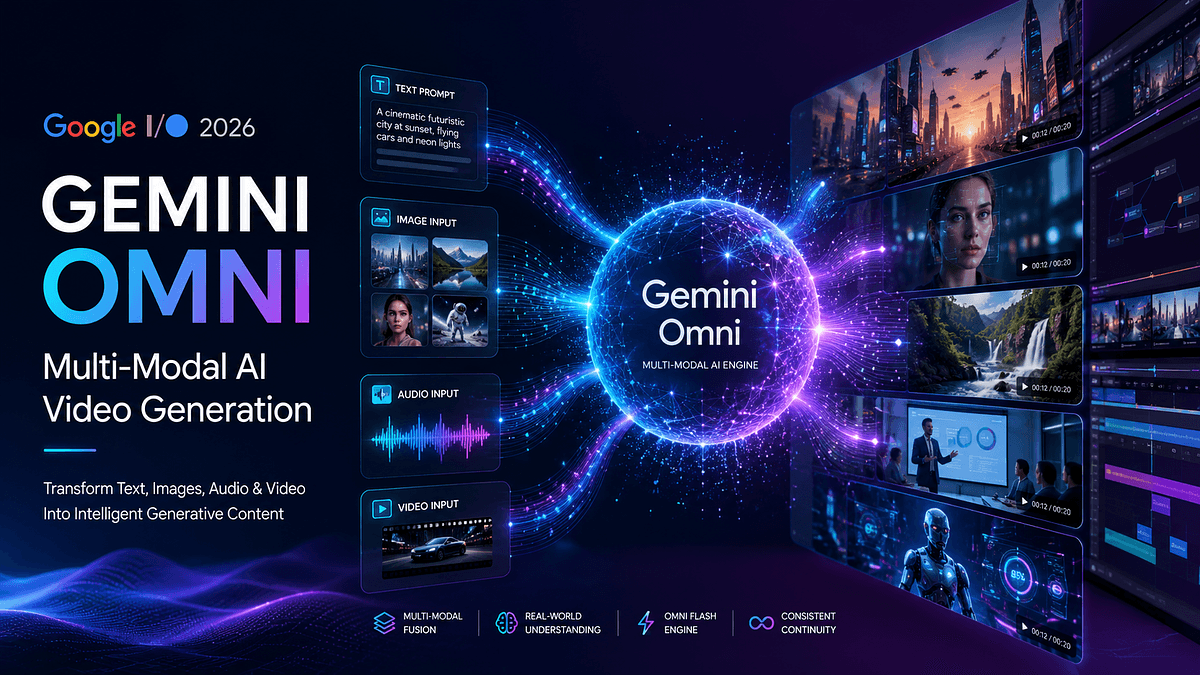
At Google I/O 2026, Google introduced Gemini Omni – a groundbreaking AI model that brings “anything from any input” to video generation. Built on the Gemini architecture, Omni Flash (the first model in this family) can accept text, images, audio or existing video as input and produce high-quality video output. In practical terms, a user might upload a short clip or image, type a descriptive prompt, and let Omni generate or edit realistic video scenes in seconds. This conversation-driven model is already available to users via the Gemini app, Google Flow and YouTube Shorts. In the following sections we’ll explain how Omni works, what makes it special, key use cases, benefits and limitations, and how it compares to other AI video tools.
Gemini Omni is Google’s first truly multi-modal video generation model. Unlike older video-AI systems that only took text prompts, Omni can reason across multiple inputs at once. For example, you can provide a background image and an audio clip, or an existing video plus a text instruction – Omni will “understand” these together to create a coherent new video scene. According to Google, Omni “combines images, audio, video and text as input and generates high-quality videos grounded in Gemini’s real-world knowledge”. In practice, this means it doesn’t just stitch inputs superficially, but uses Gemini’s extensive training to respect physics, visual context, and factual details in the output. Google calls this a “huge leap forward in world understanding” for generative video.
The first Omni model (Gemini Omni Flash) focuses on video output and is capped at about 10 seconds per clip. Google plans to extend output to other modalities (like audio or images) in the future. At launch, Omni Flash is rolling out to subscribers of Google AI Plus/Pro/Ultra via the Gemini app and Google Flow, and is also free to try in YouTube Shorts and the YouTube Create app. (Developer and enterprise API access is coming soon.) In short, Gemini Omni is Google’s answer to comprehensive AI video creation – a tool that can both generate new video content and apply sophisticated edits, all through natural conversation.
- Multi-Modal Input Handling: You can feed Omni virtually any kind of media input. This includes text descriptions, still images (which Omni can animate or stylize), audio (speech, music or ambient sound), and even entire video clips. All inputs can be mixed together in a single prompt. For example, a user might supply a photo of a city street, a jazzy soundtrack, and a short text command; Omni will produce a video scene where the city animates to the music in a manner consistent with the prompt. Because it builds on Gemini’s reasoning foundation, Omni can interpret complex instructions that involve multiple steps or sources.
- Conversational Editing: One of Omni’s most powerful modes is iterative editing. You start with an input video or generated clip, then give natural-language instructions to modify it. Each command builds on the last while keeping characters, objects and environment consistent. For instance, a user might first prompt “A violinist playing a song,” then say “Change the camera angle to be over the violinist’s shoulder,” then “Make the violin invisible,” and Omni will carry these changes through each version of the clip. According to Google, Omni’s scene memory and consistency tools prevent the drift or inconsistencies that plagued earlier multi-turn video edits.
- World Knowledge and Physics: Gemini Omni incorporates the Gemini model’s broad knowledge base to ensure its videos are grounded in reality. It “combines an intuitive understanding of physics with Gemini’s knowledge of history, science, and cultural context”. The model is specifically trained to respect real-world forces – gravity, collision, fluid dynamics – so generated scenes obey normal physics more faithfully than generic video diffusion models. In concrete terms, this means if you prompt something like “Show a marble rolling down a complex track,” Omni will try to animate the marble realistically rather than glitch through obstacles. The model also uses contextual knowledge: for example, if asked for a historically themed scene, it will draw on historical facts to render appropriate visuals and text captions.
- Avatar Generation: Omni natively supports creating synthetic human avatars. Users can provide a reference image or recorded voice to generate a speaking character that appears in the video. This is integrated (not an add-on) so you can say, for example, “Insert a presenter who looks like this and say this script,” all in one prompt. Avatar generation was even highlighted as a demo; Google showed examples like creating a video of “yourself winning an award or going to the moon” using a user’s own likeness. Importantly, Google requires users to verify their identity and consent for avatar creation (e.g. recording a voice sample) to prevent unauthorized deepfakes.
- Integration with Google Flow: Google Flow is a new creative studio that brings Omni together with other Google generative tools on a flexible canvas. In Flow you can sequence ideas, combine multiple Omni-generated clips, and refine assets. For example, you might use one Omni query to generate a background scene, another to animate a character, and Flow can stitch them into a final cut. This end-to-end environment also supports automated pipelines: you could have Flow trigger Omni whenever new data arrives in a CMS, automatically creating and posting videos for your users. In effect, Flow turns Omni into a production platform where artists and developers can build complex video workflows.
- Social Media Content: A content creator could quickly generate a short stylized clip for TikTok or YouTube Shorts. For example, feeding Omni a selfie video and the prompt “animate this video so it looks like I’m surfing a rainbow wave” could instantly produce shareable meme content. Google’s own demos included fun examples like making an entire room turn into 3D voxel art or syncing lights to music. The conversational interface means even non-experts can fine-tune these clips (e.g. “make the lights blink red with the beat”) without manual editing.
- Marketing and Advertising: Marketers can leverage Omni to create personalized video ads. For instance, an e-commerce brand could generate different versions of a product demo by changing backgrounds or presenter avatars through simple text edits. Unlike standard video editors, Omni can automatically apply consistent changes across scenes. A team might upload a base product shot and then ask Omni to “apply this theme music and show the product in a city rooftop setting,” creating professional-looking video ads without a shoot.
- Educational and Training Videos: Omni’s grounding in real-world knowledge makes it suitable for factual content. As one demo, Gemini produced a stop-motion “claymation” explainer video about protein folding complete with voice-over narration. Educators could similarly ask Omni to “show a claymation of the water cycle” or “create an animated instructor explaining photosynthesis,” and get a plausible explainer sequence. Corporate trainers can use Omni to make internal how-to videos by having a consistent virtual presenter (avatar) walk through processes, saving time over filming.
- Film and Entertainment: Filmmakers and hobbyists can experiment with scene editing or pre-visualization. For example, an indie director could upload a rough storyboard image and ask Omni to “animate this panel with a chase scene,” giving a quick sense of how a shot might look. Cinematic effects can also be tried out conversationally: “make the sun flare more intensely and tilt the camera upward,” and Omni would adjust the clip. The model even offers realistic transitions; it can “transport” a person from one scene to another across edits without losing continuity.
- Personal Use: Even everyday users might find fun in Omni. TechCrunch noted that Google pitches Omni as a consumer tool for personal videos – making clips of “you winning an award or going to the moon” or simply removing photobombers from a vacation video. Since Omni is available in popular apps, casual users can play with generative video without any coding. Essentially, it turns simple language prompts into a user-friendly video editor, lowering the barrier for creative video tasks.
- Creative Flexibility: By allowing any input type, Omni unlocks new creative workflows. Users are no longer limited to starting from scratch with text. They can mix modalities – for example, guiding video motion using an audio clip’s rhythm or preserving a photo’s style in an animation. This flexibility can lead to richer, more tailored content.
- Ease of Use: Omni’s conversational interface makes complex edits as easy as chatting. Instead of learning editing software, you simply describe what you want. This can dramatically speed up production. Small businesses and creators can produce professional-style videos without expensive equipment or expertise.
- Factual Accuracy and Consistency: Thanks to Gemini’s knowledge grounding, generated videos are more likely to “make sense” in context. Omitting fantastical hallucinations in educational or product videos improves trustworthiness. Also, characters and objects remain consistent over multiple edits, unlike many previous models. As one TNW article notes, Omni’s “conversational-editing layer preserves consistency” where older models would drift.
- Efficiency and Scale: Automating video production saves time and cost. For businesses that need lots of video content (e.g. targeted ads, training materials, social posts), Omni can generate multiple variants quickly. Integration with workflows (via Flow or APIs) means this can all happen at scale. In theory, a large enterprise could feed its internal data into Omni and have a fleet of customized videos created in minutes rather than manual production over days.
- Safety and Provenance: Google built Omni with safeguards. All Omni-generated video clips carry Google’s SynthID watermark by default. This invisible watermark lets viewers and tools verify the video is AI-generated. The system also restricts some features (for example, Omni’s general-purpose voice editing is being held back) to address deepfake concerns. By integrating identity checks for avatar creation, Google aims to prevent unauthorized deepfakes. These measures make Omni safer for users and viewers, enhancing trust in the content.
- Length and Performance: The Flash model currently limits clips to about 10 seconds. Longer videos are in development, but for now this constrains cinematic projects. Also, generating video is compute-intensive; Google has not disclosed detailed performance figures or costs, but users may experience wait times or usage limits depending on the platform (e.g. Gemini app vs API).
- Prompt Precision: Omni is powerful but can be sensitive to prompt wording. Both Google and reviewers note that edit commands must be clear and specific, or Omni may over-edit or misinterpret a request. This is a common issue with generative models. Users may need to refine their prompts iteratively to get the desired effect. For example, to change a specific object’s color, one should explicitly name the object and color.
- Quality vs. Dedicated Renderers: While Omni is versatile, its visual fidelity may not match specialized tools. Google’s own Nano Banana and Veo (Veo 3) models still produce sharper, more cinematic images when used alone. Omni blends and reasons, which sometimes sacrifices the last bit of polish. In industry terms, Omni is optimized for reasoning and integration, whereas Veo prioritizes pure visual quality. Thus, a filmmaker seeking the absolute best photorealism might still use dedicated rendering, but Omni offers a faster, more flexible alternative.
- Ethical and Legal Issues: Generating realistic video raises concerns. Even with watermarks, Omni could be misused for misleading deepfakes if prompts include real people or copyrighted content. Content creators and companies should follow guidelines and legal rules for AI-generated media. Google’s SynthID helps with provenance, but it’s important for users to clearly disclose AI-created content in sensitive contexts (e.g. news, legal evidence). The policy framework around AI content is evolving, so enterprises using Omni should stay updated on best practices.
Gemini Omni joins a rapidly growing field of AI video generators. For context, Google also offers Veo (Veo 3) – a specialized video diffusion model focused on cinematic quality and fidelity. According to analysts, Omni and Veo are complementary: Veo excels when you start with a textual creative brief and want a visually stunning clip, whereas Omni is better when you need structure, factual accuracy or avatar-based videos. As one summary puts it, “Veo is Google’s dedicated video generation model... Gemini Omni is better described as a reasoning model that produces video”.
Other companies have similar offerings. OpenAI’s Sora (introduced in 2023) can generate video up to 60 seconds from text, but it is primarily text-based and not publicly available. Runway’s Gen-2 model (2022) allows text, image or video inputs to generate short clips, but Gen-2 typically handles one type of input at a time. ByteDance’s Seedance and Meta’s new video models are also in development. What sets Omni apart is its deep multimodal grounding and conversational editing. In short, Omni is unique in its goal to be an “any-input-to-video” model with practical editing flows.
Google’s Gemini Omni represents a major advance in AI video generation. By allowing any combination of text, images, audio or video as prompts, it empowers users to create and edit video content in conversational ways. The technology leverages Gemini’s world-knowledge reasoning to ensure outputs that are realistic, consistent, and contextually accurate. Early use cases range from fun personal videos to serious business content like training, marketing, and film pre-vis. As Omni Flash rolls out on the Gemini app and Google Flow, experts and creators now have a powerful new tool for generative video. Looking ahead, Omni’s roadmap (longer clips, API access, Omni Pro) and its integration into automated pipelines suggest video production will become faster and more flexible across industries. The key takeaway is that multi-modal AI video has arrived: Gemini Omni gives users a new way to “speak” to video through text and media, opening creative possibilities once limited by traditional filming and editing.