
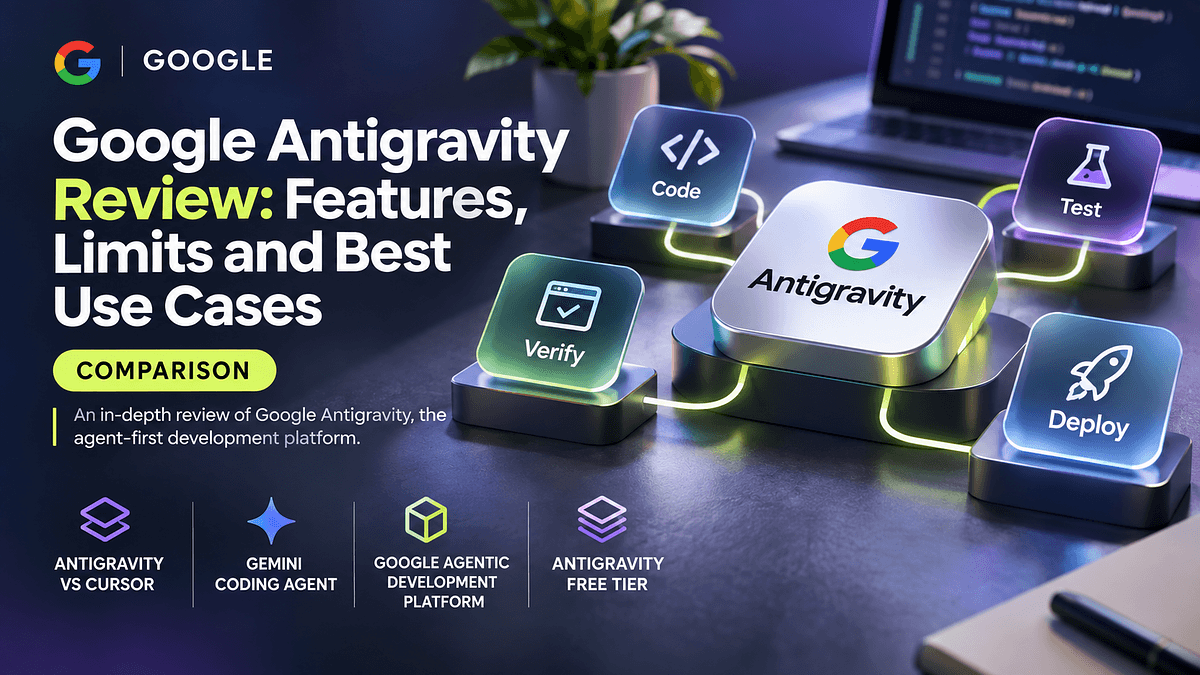
Google Antigravity is Google's bet that the next generation of developer tools will not be editors with an AI sidebar, but control rooms for autonomous agents. Launched alongside the Gemini 3 model family, it reframes the IDE around delegating tasks, supervising agents and verifying their output. This google antigravity review looks at what the platform actually does well, where it still falls short, and how it compares with established tools such as Cursor and Claude Code for experienced engineers who ship production software.
If you already use an agentic coding assistant daily, the question is not whether Antigravity is impressive in a demo. It is whether it can earn a permanent place in a professional workflow. Let us start with how the platform is structured.
What Google Antigravity Actually Is
Antigravity is a desktop development environment built on a VS Code foundation, so the editor, extensions model and keyboard shortcuts feel familiar. The difference is the second surface layered on top: an agent-first workspace where you assign tasks to one or more agents, watch their progress and review the evidence they produce.
Google describes it as a google agentic development platform rather than an AI-enhanced editor. The default model is Gemini, which makes it the most direct showcase of a gemini coding agent working across the editor, the terminal and a real browser. Google has also allowed selected third-party models inside the product, which matters for teams that do not want to bet on a single model provider.
The Two Core Surfaces
Editor view is the classic IDE with inline completions, an agent side panel and the ability to make targeted edits. It is where you work when you want to stay hands-on.
Agent Manager is the more interesting surface. It acts as a mission control for multiple agents running in parallel across different workspaces or tasks. You can start an agent on a bug fix, another on a refactor and a third on documentation, then check in on each when it reports progress or needs a decision.
With the structure in mind, the features that set Antigravity apart become easier to evaluate.
Key Features Worth Knowing
Artifacts instead of raw logs. Rather than forcing you to scroll through tool calls, agents produce reviewable artifacts such as task lists, implementation plans, code diffs, screenshots and browser recordings. You can comment on an artifact much like a pull request, and the agent incorporates the feedback without stopping its run.
Browser verification. Antigravity can drive a Chrome instance to launch your application, click through flows and capture what happened. For frontend work this closes a loop that most coding agents leave open: the agent does not just claim a UI fix works, it shows you the recording.
Multi-agent orchestration. Running several agents asynchronously is the headline capability. For an experienced developer, this shifts the job from writing every line to decomposing work and reviewing results, which can multiply throughput on well-scoped tasks.
Autonomy controls. You can tune how much the agent may do without asking, including terminal command execution policies and review requirements for plans. Sensible defaults matter here because an over-eager agent with terminal access is a real risk on a machine holding credentials.
Knowledge and context. Agents can retain useful snippets and patterns from previous work, which reduces repeated explanations of project conventions over time.
Those strengths are real, but any honest review has to weigh them against the limitations that show up in daily use.
Limits, Pricing and Current Gaps
The antigravity free tier was notably generous at launch, positioned as a public preview for individuals. Since then, Google has adjusted quotas and tied heavier usage to its paid AI subscription plans, and rate limits have been a frequent complaint from developers running long agent sessions. Because these terms have changed more than once, check the current plan page before committing a team to it rather than relying on launch-week impressions.
Other limitations worth noting:
Rate limits interrupt long runs. Multi-agent workflows consume quota quickly, and hitting a limit mid-task breaks the asynchronous promise of the product.
Integration gaps. Enterprise features such as fine-grained admin controls, audit trails and private network deployment trail more mature tools. Extension compatibility is good but not identical to upstream VS Code marketplaces.
Terminal and CI workflows. Developers who live in the terminal will find the antigravity cli story thinner than tools built CLI-first. Antigravity is fundamentally a desktop application, so headless use in scripts and pipelines is not its strength.
Verification costs time. Browser recordings and plans are valuable, but reviewing them takes attention. On small changes, the overhead can exceed the benefit.
Antigravity vs Cursor and Claude Code
The antigravity vs cursor comparison comes down to philosophy. Cursor is an editor-first tool that has steadily added agent features, with excellent tab completion, fast inline edits and a mature model selection. Antigravity is agent-first, with the editor as a secondary surface.
Where Antigravity wins:
Parallel agent management through a dedicated interface, rather than juggling multiple chat tabs.
Built-in browser verification for web applications, producing visual evidence instead of claims.
Tight integration with Gemini models, including strong multimodal handling of screenshots and designs.
Where Cursor or Claude Code still win:
Cursor offers more predictable inline editing, a polished completion experience and broader team administration features.
Claude Code runs in the terminal, scripts cleanly into CI, supports hooks, subagents, skills and MCP servers, and fits engineers who want composable automation rather than a GUI.
Both have longer track records in production teams, which matters for procurement and security reviews.
Practical Examples and Best Use Cases
Consider a frontend team fixing a regression in a checkout form. In Antigravity, you can assign an agent to reproduce the bug in the browser, propose a plan, apply the fix and attach a recording showing the corrected flow. The reviewer sees evidence before reading a single diff.
Another strong case is greenfield prototyping. Spinning up three agents to scaffold an API, a dashboard and seed data in parallel turns an afternoon of setup into a short supervision session.
Antigravity is less suited to deep debugging of complex backend systems, where careful step-by-step reasoning in a terminal agent, combined with your own investigation, often produces better results.
Best fits:
Web application teams that benefit from visual verification.
Developers prototyping new products who want parallel scaffolding.
Teams already invested in Google Cloud and Gemini.
Weaker fits:
Regulated environments that need mature audit and admin controls.
Terminal-centric workflows and CI automation.
Large legacy codebases where context discipline matters more than parallelism.
Who Should Use It and Who Should Wait
Experienced developers who enjoy orchestrating work, review artifacts carefully and build web products will get the most from Antigravity today. If you are a team lead evaluating standardization, run a two-week pilot on a non-critical service, measure accepted-change rates and quota consumption, and compare them against your current tool.
If your workflow depends on scripting agents into pipelines, strict governance or predictable pricing, keep your established tooling as the primary choice and treat Antigravity as an experiment.
Conclusion
Google Antigravity is the clearest expression yet of an agent-first development environment. Its Agent Manager, artifact-based review and browser verification are genuinely new ideas, and the gemini coding agent behind them is capable. Its limits are equally clear: shifting quotas, thinner CLI and enterprise support, and review overhead on small tasks.
Key takeaways: use Antigravity for parallel, verifiable web work and rapid prototyping; keep Cursor or Claude Code for precise editing, terminal automation and governed environments; and re-evaluate pricing terms regularly as the platform matures. The smartest next step is a time-boxed pilot with clear metrics, so the decision rests on your own codebase rather than launch hype.