
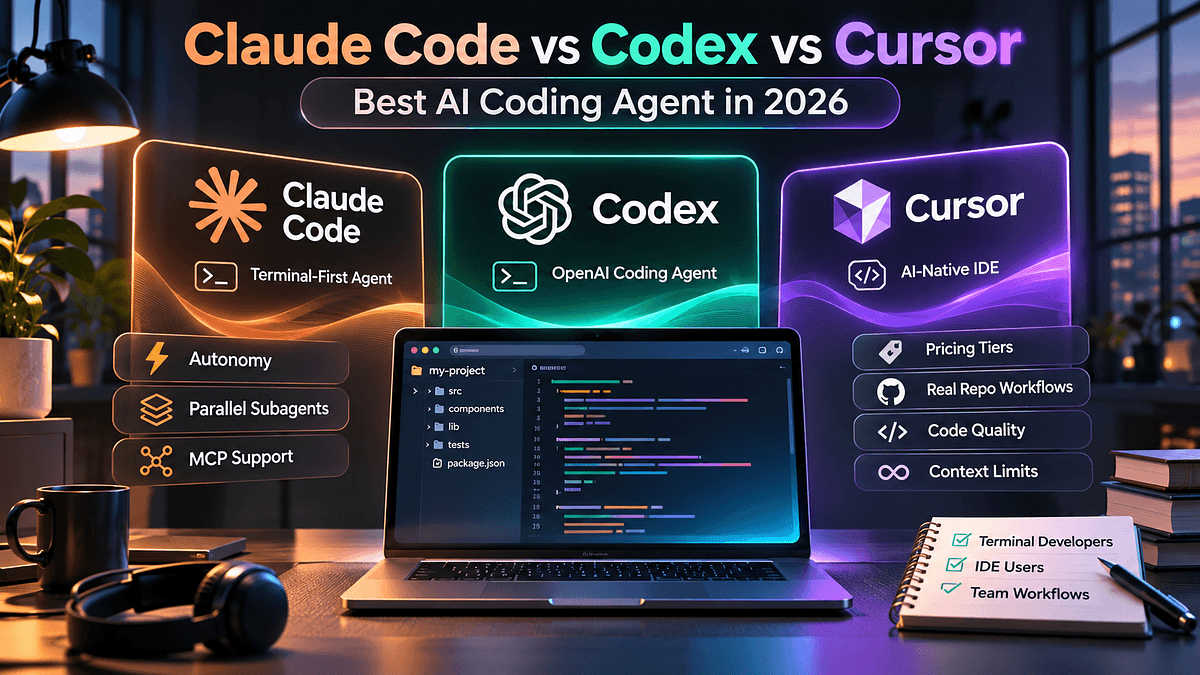
The market for AI coding assistants has moved well beyond autocomplete. In 2026, the serious question is no longer whether to use an agent, but which kind of agent fits the way your team ships software. Three products dominate that discussion: Anthropic's Claude Code, OpenAI's Codex, and Anysphere's Cursor. Each is a different bet on where the developer should sit relative to the machine. This comparison covers how each tool works, where it excels, where it falls short, and how experienced engineers combine them. It assumes you already understand agentic workflows and want a clear basis for choosing.
Three Architectures, Three Philosophies
The category has split into three paradigms: terminal-first agents, IDE-native editors, and asynchronous cloud workers. Claude Code is the terminal-first option, Cursor is the IDE-native option, and Codex is the cloud-oriented option.
This distinction matters more than benchmark scores. Terminal coding agents such as Claude Code and Codex CLI give you a conversational loop with direct access to your shell, test runner, and version control. An IDE-based agent keeps you in the editor and in constant visual contact with the diff. A cloud sandbox lets you hand off a task and return to a finished branch.
The next sections take each tool in turn, beginning with the one that set the pace for terminal-based work.
Claude Code: The Terminal Orchestrator
Claude Code runs in the command line and treats the repository as its working environment. Its extensibility is its defining strength. It supports subagents for parallel work, hooks that trigger custom logic on events, and native VS Code and JetBrains extensions for hybrid workflows. MCP integration connects the agent to external systems such as issue trackers and databases.
Developer communities most often point to Claude Code for architecture and debugging. Its interactive dialogue model suits engineers who want to steer the work step by step while delegating the mechanical effort.
The trade-off is ergonomics. There is no persistent visual surface, so reviewing large changes depends on your diff tooling. Usage is also bundled with Claude subscriptions, so plan tier and usage limits deserve scrutiny before you commit a team. Teams that choose it generally do so for depth of reasoning rather than interface polish.
OpenAI's agent takes a very different view of delegation.
Codex: Delegation in the Cloud
Codex is available as a CLI, an IDE extension, cloud tasks, and access bundled with ChatGPT. Its signature capability is asynchronous work. You describe a task, the agent executes it in an isolated cloud sandbox, and you review the result later. This model suits engineering organizations with a long backlog of well-defined tickets, such as dependency upgrades, test coverage, and routine migrations.
Its momentum is substantial. One April 2026 analysis credited Codex with strength in parallel cloud agents and about three million weekly users. In the same period, OpenAI shipped an official Codex plugin that runs inside Claude Code, so Claude can delegate to a cloud sandbox when it chooses. That interoperability says a great deal about how practitioners actually work.
Any honest Codex CLI review has to note the limits of the model. Asynchronous execution means less mid-task steering, so vague prompts produce poorly aimed pull requests. Precise task descriptions are the price of admission.
Cursor: The Agent-First IDE
Cursor is a VS Code fork, so existing extensions, themes, and keybindings carry over. For years it was defined by tab completion and in-editor chat. Cursor 3, released on April 2, 2026, changed the proposition with an interface built around agents rather than files. The editor remains, and the new interface sits alongside it.
The Cursor Agents Window is the centerpiece. It lists local and cloud agents in one sidebar, lets you move sessions between cloud and local execution, and supports staging, commits, and pull requests from a new diff view. It runs agents in parallel across local, cloud, and remote SSH environments, and adds Design Mode for annotating interface elements in a built-in browser. That removes much of the ambiguity from front-end tasks. Underneath sits Composer 2, Cursor's in-house coding model, launched on March 19, 2026.
The caveat is the one early critics raised. When code sits behind a chat surface, developers can lose the mental model that comes from reading it. Some comparisons also describe Cursor's context window as limited relative to Claude Code.
Practical Examples
Consider three scenarios. A senior engineer is untangling a race condition across several services. Claude Code fits well: it can read the repository, run the test suite, inspect logs through MCP, and propose a staged fix while the engineer challenges its assumptions.
A platform team has forty small tickets to clear before quarter end. Codex fits here. Each ticket becomes a sandboxed task, and the team reviews pull requests in batches the next morning.
A product engineer is building a settings screen and iterating on layout. Cursor's Design Mode and in-editor diffs keep the feedback loop tight, while background agents handle adjacent chores.
The pattern is not exclusivity. The most common setup among experienced developers in 2026 is hybrid: Cursor or Copilot for daily editing, Claude Code for hard problems, and Codex for background batch work. These ai pair programming tools are increasingly complementary.
Who Should Use Which Tool
Solo developers and small product teams usually get the fastest return from Cursor, because onboarding is trivial and the editor stays familiar. Senior engineers working on complex refactors or legacy systems tend to prefer Claude Code, where planning quality and hook-driven automation matter most. Engineering organizations with deep backlogs and mature review processes benefit most from Codex, since asynchronous throughput scales with the number of well-specified tasks. Startups often begin with Cursor and add Claude Code for the hardest work. Whatever the starting point, the common thread is matching the tool to the shape of the task.
Limitations and Considerations
Several factors deserve attention before you standardize. Pricing models differ: Cursor charges per subscription tier, while Claude Code and Codex are bundled with their vendors' subscriptions, so compare costs against your real usage. Convergence is also under way. Cursor added background agents, Claude Code added a VS Code extension, and Codex added a macOS app, so feature checklists age quickly. Finally, all three share one risk: agent output still needs review. Autonomy raises throughput, but it also raises the cost of an unreviewed mistake.
Conclusion
There is no single winner in the claude code vs codex vs cursor debate, and the best ai coding agent 2026 offers depends on workflow. Choose Claude Code for deep reasoning and extensibility, Codex for scalable asynchronous delegation, and Cursor for an agent-first environment with strong editor ergonomics. For most teams, the practical next step is a two-week trial on a real backlog, measuring review time and defect rates rather than demo impressions. The tools will keep converging, but the workflow questions they answer will remain distinct.